

- Getting Started
- Authorization
- Syncs
Setup
Create a Punchh Integration in Strata
Select Punchh in the Strata Integration Catalog.Creating a Punchh integration does not require integration level setup. Configuration is done on a per-connection basis using the steps in the Authorization tab.Use the Strata Frontend SDK to prompt users to authorize your integration.
Punchh as a source
Punchh syncs use webhook subscriptions. To fully configure a Punchh connection, use the following process:- In your app, use the Strata SDK to create a Punchh Connection for your user. Your user needs to provide their Punchh
business_idas a custom parameter: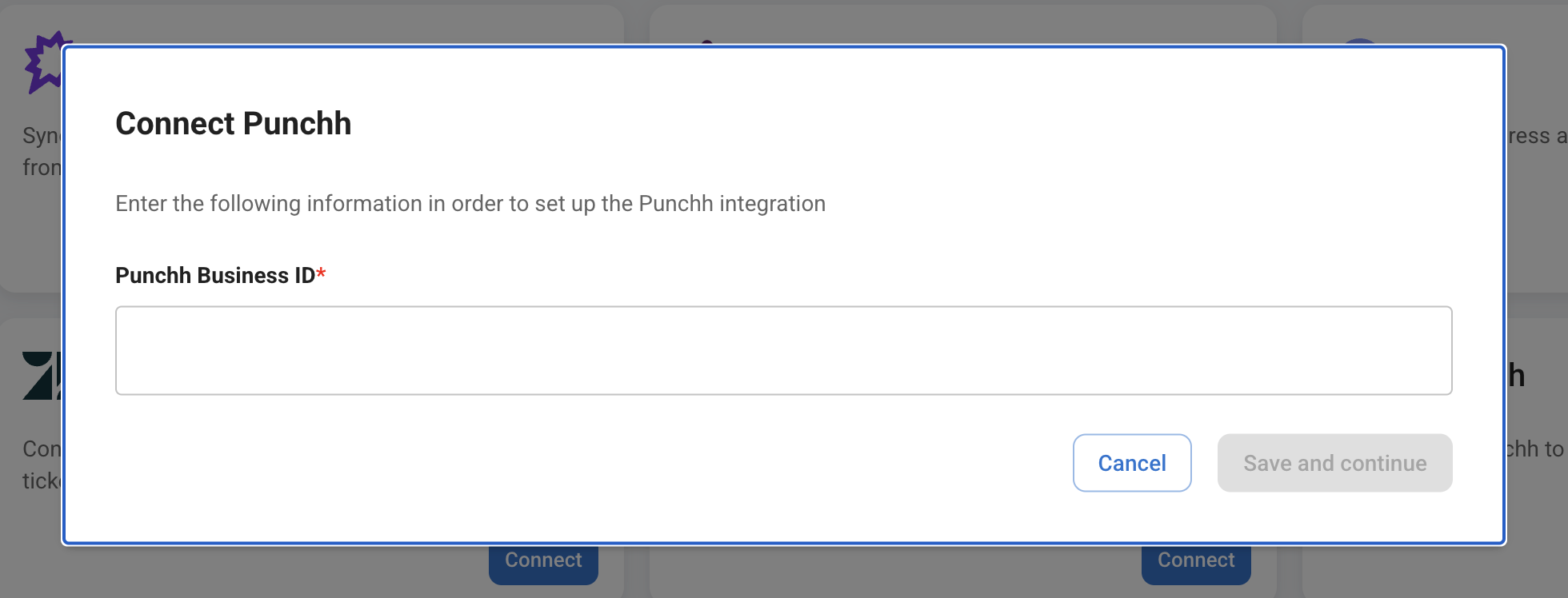
Copy
  strata.authorize(jwtToken, "punchh", {
    customParams: {
      business_id: 123,
    },
  });
- Creating a connection with the SDK returns the connection ID. Fetch the full connection object by the ID in order to get the Strata-generated webhook auth client ID and client secret.
- In your app, display the Strata generated Punchh webhook URL, client ID, and client secret to your user.
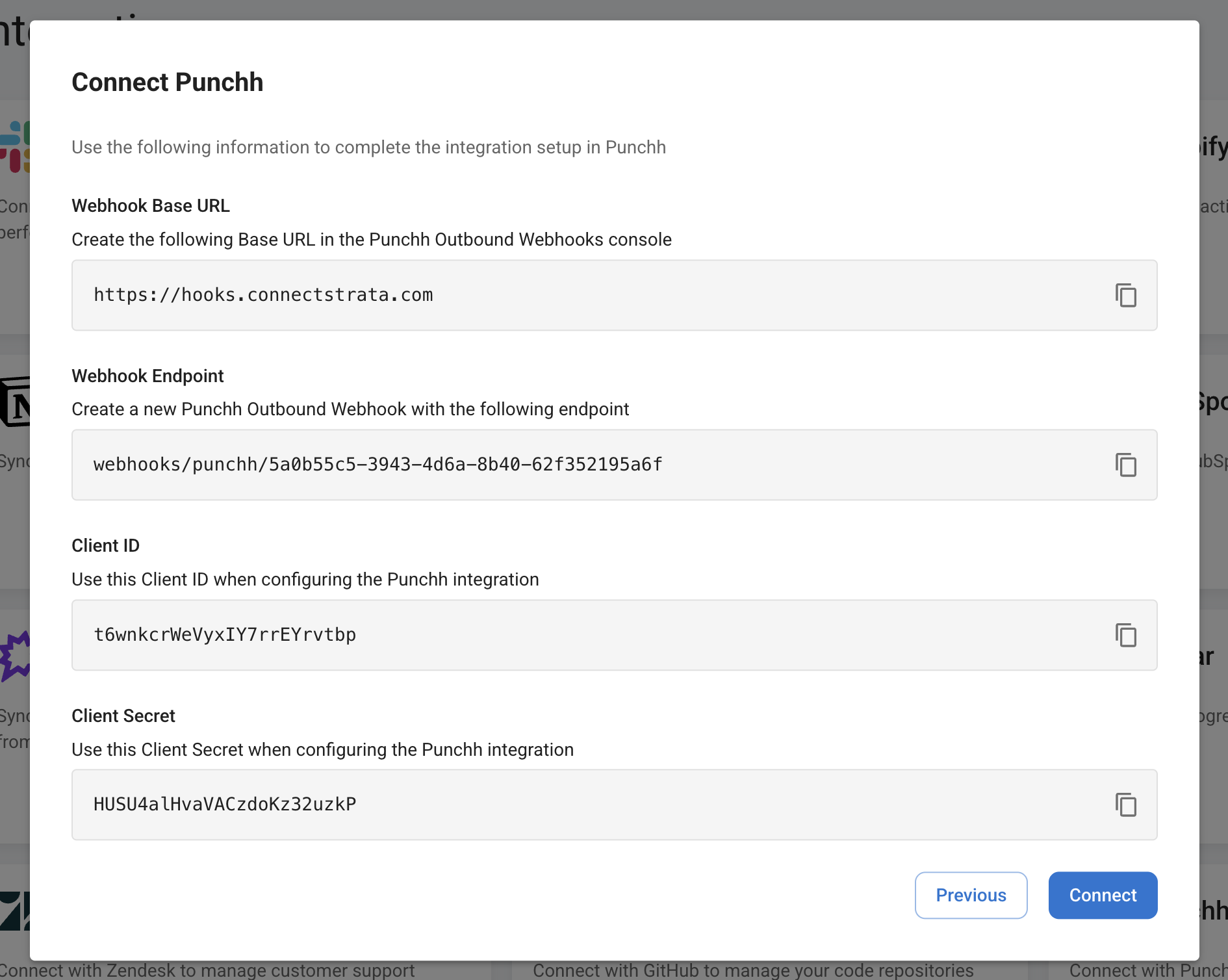
- In the Punchh dashboard, your user will create a new Punchh Outbound Webhook “Base URL” with the Strata base URL:
Copy
https://hooks.connectstrata.com
- In the Punchh dashboard, your user will create a new Punchh Outoubnd Webhook with the Strata generated webhook endpoint, HMAC-SHA256 auth using the Strata generated client ID and client secret, and the webhook events required by your integration.
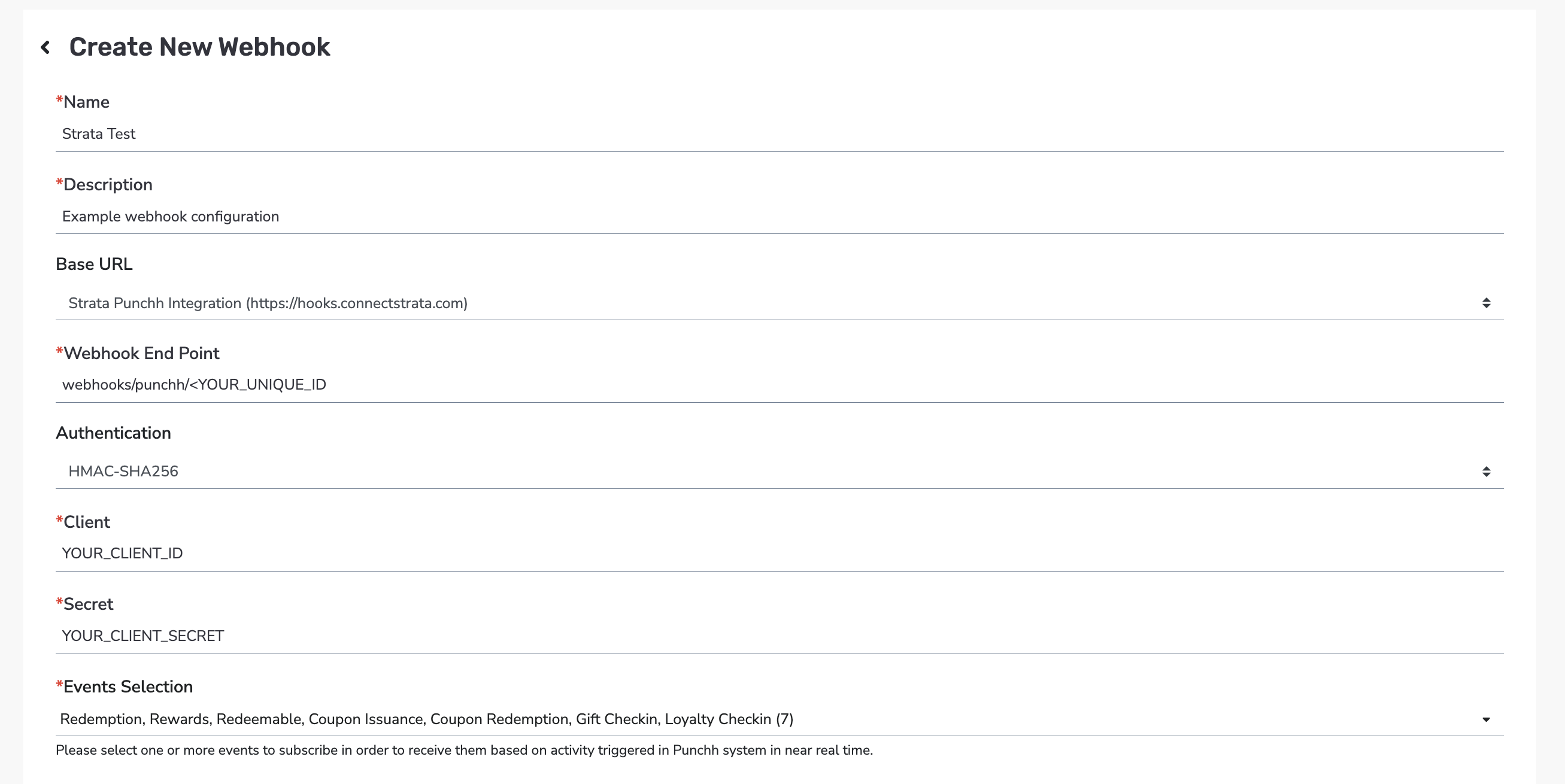
Overview
Punchh syncs use webhook subscriptions. Punchh customers must create the webhook subscriptions in the Data Sharing > Outbound Webhooks section of the Punchh dashboard.Auth
Strata authenticates Punchh webhooks using HMAC-SHA256. The client ID and client secret are generated by Strata when you create a new Punchh connection.Webhook Events
Strata supports the following Punchh webhook events:checkinscouponsuser_coupon_redemptionsusersmarketing_notificationsredeemablesredemptionsrewardstransactional_notifications